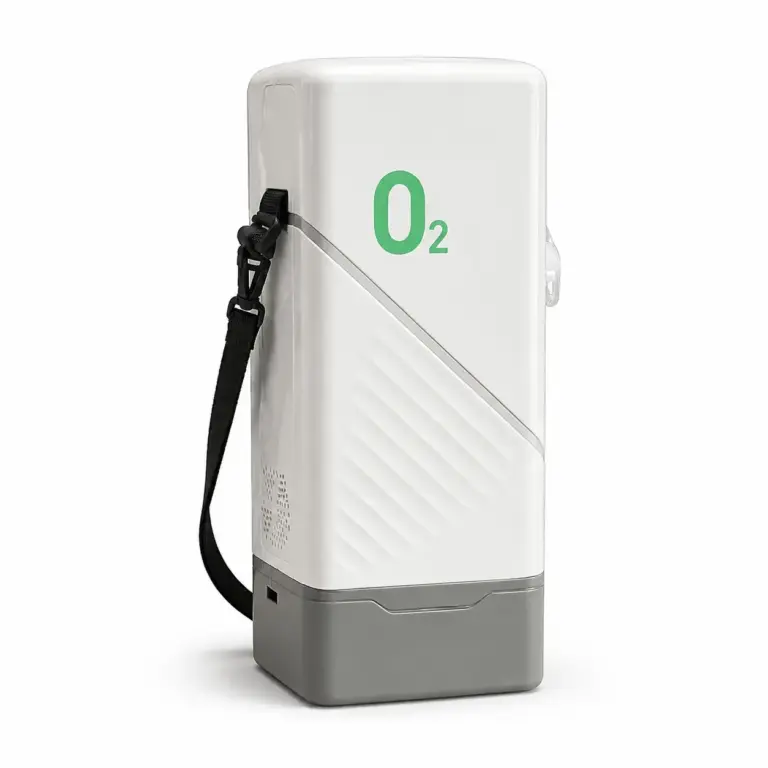




Record sample identity, review evidence, unresolved differences, approval scope, and the next authorized step before an equipment order proceeds.
Buyer Checklist — General procurement recordkeeping, not a clinical evaluation, technical test protocol, certification, or confirmation of market authorization. A sample decision applies only to its recorded scope. Product-specific testing and destination questions require the appropriate qualified reviewers.
A useful approval record explains which sample was reviewed, which requirements were checked, what remains unresolved, and which next step is authorized. Avoid a bare “sample approved” message that leaves purchasing and production to interpret its meaning. Use the Sample Evaluation Guide to organize observations, then use this checklist to document the decision.
Record the model, version, sample identifier, receipt date, supplier reference, and serial or batch reference where available. State whether the review concerns a standard device, a customized configuration, an accessory set, or a packaging proof. Keep photographs and source files linked to that reference.
Ask what the sample represents and how it differs from the proposed order. A packaging proof does not demonstrate device performance, and a standard unit does not confirm every proposed private-label change. List those limits before the review starts.
Connect each requirement to a specification, contents list, artwork revision, manual, or separately agreed review plan. Record the expected result and the person responsible for assessing it. Keep commercial preferences separate from technical acceptance criteria.
For each criterion, record the observation, evidence reference, reviewer, and date. Use “not checked” where no assessment occurred; do not turn a missing result into a pass. Preserve the distinction between supplier statements and checks performed by your own reviewers.
Give each discrepancy its own reference and describe the expected and observed details. Identify the requested correction, responsible contact, and evidence needed for closure. If a revised sample or document is supplied, link it to the original issue rather than overwriting the history.
Add the actual requirement, evidence, result, owner, and next action to each relevant row. This table is a record template, not confirmation that a sample has passed.
| Review area | Reference to retain | Decision to record |
|---|---|---|
| Sample identity | Model, version, sample identifier | Scope represented and known differences |
| Appearance and labels | Photographs and artwork revision | Matches, discrepancies, or not checked |
| Included items | Contents list and item references | Confirmed quantities and unresolved items |
| Documents and packing | Manual, language, and packing revisions | Reviewed files and missing approvals |
| Technical checks | Agreed method and reviewer report | Recorded findings and assessment limits |
| Corrections | Issue log and revised evidence | Closed items or remaining hold conditions |
| Final decision | Named approver and dated file set | Authorized next step and exclusions |
Separate individual findings from the overall decision. A reviewer may confirm the accessory count while leaving artwork or another requirement unresolved. Use a decision label with a written explanation, not a label alone.
For example, a buyer might record that carton artwork revision B is accepted for layout review while the device configuration remains on hold. This is an illustrative record, not an actual customer approval. Do not use a limited artwork decision as authorization for the entire order.
Before the agreed next step, reconcile the approval record with the order specification, accessory list, packaging files, quotation, and open-issue log. Ask the receiving team to acknowledge the applicable revisions and scope. Keep the approval record separate from any production-release instruction required by your process.
If the model, component, accessory, artwork, document, or order scope changes, ask the responsible reviewers which decisions need to be reopened. Retain a dated record of the change and its outcome. Do not assume approval of one sample automatically covers future variants or every unit in a shipment.
For a supplier discussion, send the sample reference, proposed order configuration, review criteria, discrepancy list, and requested next action. Ask which corrections or records can be provided and which details require further review.
Discuss your sample approval requirements or explore Buyer Guides & Use Cases.
AI support
NORYLUME can help match oxygen and hydrogen equipment by product line, quantity, destination market, certification needs, and OEM requirements.